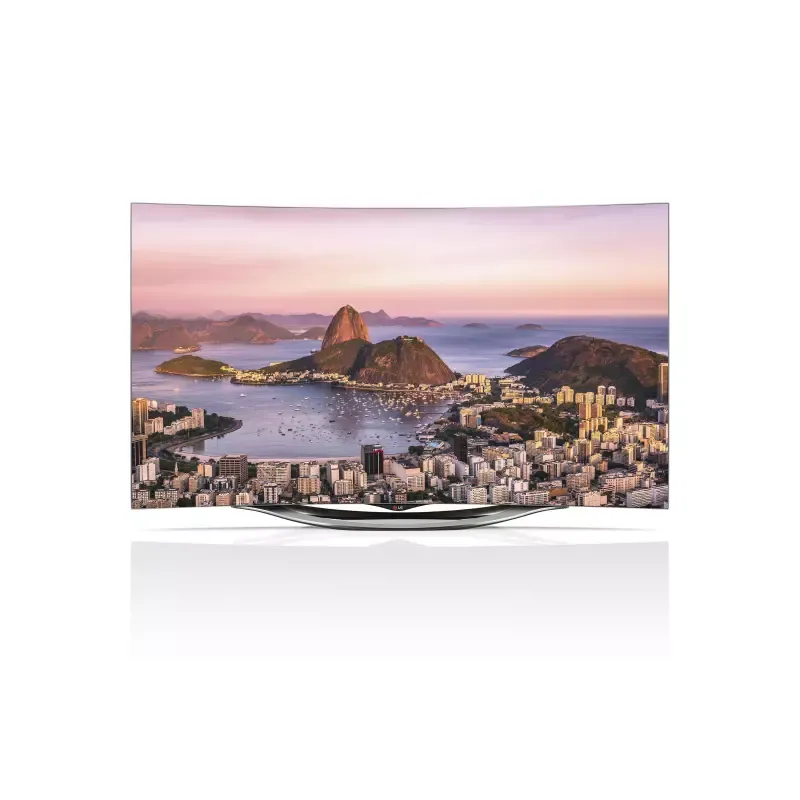
Thumbnail of product OLED42C3PSA from brand LG
Logo of brand LG

Television LG OLED42C3PSA

Discover the LG OLED42C3PSA television, a model that combines innovation and quality, an emblematic characteristic of the LG brand. Designed to provide an immersive visual experience, this 42-inch OLED television ensures optimal performance thanks to its advanced technology.

The LG OLED42C3PSA stands out for its ability to reproduce vibrant colors and deep contrasts, making it an ideal choice for enjoying your favorite movies and series. Its sleek and modern design fits perfectly into any type of interior while adding a touch of sophistication.

This model also comes with a user manual, allowing you to master all its features with ease. Whether you are a movie enthusiast, a gamer, or simply looking for a reliable television for your evenings, the LG OLED42C3PSA is designed to meet your needs.

In summary, the LG OLED42C3PSA is a high-performing and stylish television, offering an unparalleled multimedia experience for all users.

Manual of product OLED42C3PSA

8 10

Editorial note

The LG OLED42C3PSA is a television that stands out for its OLED technology, offering exceptional picture quality with deep blacks and vibrant colors. This immersive visual performance is enhanced by an intuitive user interface, making it easy to navigate between different features and applications. Its sleek and modern design also allows for seamless integration into any type of interior. However, it is important to note that the high price of this model may be a barrier for some consumers, although the picture quality partly justifies this investment. Additionally, the possibility of screen burn-in and the limited brightness compared to some LCD televisions may affect the experience in certain environments. Finally, its relatively heavy weight can complicate wall installation, requiring a sturdy mount. In summary, the LG OLED42C3PSA is an excellent choice for those seeking superior picture quality and refined design, while keeping in mind the few drawbacks related to its price and compatibility.

Score details

User experience

The user interface is intuitive and accessible, making it easy to navigate between different features and applications.

Performance

The performance is optimal, with exceptional image quality thanks to OLED technology, offering deep blacks and vibrant colors.

Design

The design is sleek and modern, fitting harmoniously into any type of interior.

Value for money

The high price may be a barrier for some consumers, although the quality partly justifies the investment.

Robustness

A relatively heavy weight can make wall installation more complex and require a sturdy mount.

Features

Although energy consumption is low, limited compatibility with certain audio and video formats may restrict connectivity options.


Advantages

OLED image with vibrant colors

Modern and sleek design

Recognized reliability of LG

Intuitive and easy interface

Reduced energy consumption

Disadvantages

High price compared to LEDs

Risk of screen burn-in

Brightness lower than LCDs

Significant weight for wall installation

Limited audio and video compatibility

Technical Specifications OLED42C3PSA

General Information

Frequently Asked Questions

What is the recommended viewing distance for my LG TV?
The optimal viewing distance for your LG TV varies depending on the screen size. Generally, it is advised to be about 2.4 times the diagonal of the screen.
What should I do if my TV is not receiving a signal?
If your TV is not picking up a signal, check the following: - Make sure the TV is set to the correct source. - Check that the connection via the HDMI or SCART input is correct.
What are the dimensions of my TV screen?
The size of your TV is measured in inches, with 1 inch equivalent to 2.54 centimeters. This measurement corresponds to the diagonal of the screen, which you can assess by measuring from the lower left corner to the upper right corner.
What does the acronym HDMI stand for?
HDMI stands for High-Definition Multimedia Interface. An HDMI cable is used to transmit audio and video signals between different devices.
Is it possible to connect Bluetooth devices from different brands?
Yes, Bluetooth technology is universal and allows for connection between various compatible devices.
How can I prevent image retention on my LG OLED42C3PSA TV?
To prevent image retention on your LG OLED42C3PSA TV, follow these recommendations: 1. Do not leave the same image displayed for long periods. 2. Avoid images with black areas or specific formats like 4:3 or 21:9. 3. Do not keep static images, such as logos or menus. 4. Use the built-in pixel cleaning function to check the screen's condition and reduce image retention. Go to [General] > [OLED Care] > [OLED Panel Maintenance] > [Pixel Cleaning]. 5. Adjust your TV settings by selecting [Energy Saving] or [Automatic Energy Saving], reducing the brightness of the OLED pixels, and setting the [Logo Brightness Adjustment] to [High].
What is the pixel cleaning function and how do I activate it on my LG OLED42C3PSA TV?
The pixel cleaning function on your LG OLED42C3PSA TV helps prevent image retention. To activate it: 1. Press the remote control button to access the menu. 2. Select 'General'. 3. Find 'OLED Maintenance' and click on it. 4. Select 'OLED Panel Maintenance'. 5. Click on 'Pixel Cleaning' to start the process. 6. This cleaning occurs when the TV is off and may cause horizontal lines to appear on the screen, which is normal. 7. Ensure that the TV is plugged in during this cleaning.
How do I properly mount my LG OLED42C3PSA TV on the wall?
To properly mount your LG OLED42C3PSA TV on the wall, follow these steps: 1. Attach a wall mount to the back of the TV. 2. Install this mount on a solid wall perpendicular to the floor. If you are using other materials, consult a professional. 3. Remove the TV stand before mounting it on the wall mount. 4. If you are not using the LG wall mount, choose a compatible model. 5. Secure a standard VESA mounting interface to the back of the TV and ensure it is well secured. 6. Avoid leaving power and signal cables hanging at the back of the TV. 7. Use the provided cable management support for a neat installation.
How do I connect an antenna to my LG OLED42C3PSA TV?
To connect an antenna to your LG OLED42C3PSA TV, follow these steps: 1. Locate the antenna input at the back, usually labeled 'RF IN' or 'ANT IN'. 2. Connect an RF cable (75 Ω) to the wall socket. 3. Connect the other end of the cable to 'RF IN' or 'ANT IN' on the TV. 4. Ensure that the connections are tight. 5. If you are using a signal splitter, follow the usage instructions. 6. If the picture quality is poor, consider installing a signal amplifier. 7. Try realigning the antenna if the picture quality is bad. 8. Note that the antenna cable and converter are not included with the TV.
How do I connect a satellite antenna to my LG OLED42C3PSA TV?
To connect a satellite antenna to your LG OLED42C3PSA TV, follow these steps: 1. Locate the satellite input at the back, labeled 'Satellite IN' or 'SAT IN'. 2. Connect a satellite RF cable (75 Ω) to this input. 3. Connect the other end of the cable to the satellite antenna. 4. Ensure that all connections are secure. 5. If you are using a satellite receiver, connect it to the TV with an HDMI or AV cable according to the receiver's instructions. 6. Turn on your TV and the satellite receiver. 7. Select the corresponding input source, often labeled 'Satellite' or 'SAT'. 8. Follow the on-screen instructions to set up satellite channel reception.
How do I turn on my LG OLED42C3PSA TV and use the remote control buttons?
To turn on your LG OLED42C3PSA TV and use the remote control, follow these steps: 1. Ensure that the TV is powered and the cord is plugged in. 2. Find the power button on the remote, labeled 'Power' or with a power symbol. 3. Press this button to turn on the TV, which will display the LG logo, followed by the home screen. 4. Use the directional buttons to navigate the menu. 5. To make a selection, press the OK or Enter button in the center of the directional buttons. 6. Adjust the volume with the corresponding buttons. 7. Change channels with the channel buttons. 8. For other functions, refer to the specific buttons marked in the menu.
Is the manual for the LG OLED42C3PSA available in French?
Unfortunately, the manual for the LG OLED42C3PSA is not available in French. It is only offered in English.

Similar products


Discover the technical sheet of 55LED1600 from Salora and its manuals...
Available manuals:
Discover the technical sheet of 43UF6809 from LG and its manuals...
Available manuals:
Discover the technical sheet of 55EC900V from LG and its manuals...
Available manuals:
Discover the technical sheet of 28LED1600 from Salora and its manuals...
Available manuals:
Discover the technical sheet of 43LED1600 from Salora and its manuals...
Available manuals:
Discover the technical sheet of 55UF6809 from LG and its manuals...
Available manuals:
Discover the technical sheet of 65UF6809 from LG and its manuals...
Available manuals:
Discover the technical sheet of 20LED1600 from Salora and its manuals...
Available manuals:
Discover the technical sheet of 22LED1600 from Salora and its manuals...
Available manuals:
Discover the technical sheet of 55UJ7750 from LG and its manuals...
Available manuals:
Discover the technical sheet of 32LED1600 from Salora and its manuals...
Available manuals:
Discover the technical sheet of 65SJ8500 from LG and its manuals...
Available manuals:

Presentation of product OLED42C3PSA specifications from brand LG

General Information

The LG OLED42C3PSA television is a product of the LG brand, known for its excellence and innovation in the home appliance sector. This model, designed to provide a high-quality visual experience, stands out for its OLED technology that delivers deep blacks and vibrant colors.

In addition to its remarkable performance, the LG OLED42C3PSA features a modern and elegant design, easily fitting into various interior styles. Its intuitive user interface makes it easy to navigate through the multiple features and applications available.

This television is also designed to be energy-efficient, contributing to a more environmentally friendly usage without compromising image quality.

Advantages

  • Exceptional image quality: Thanks to OLED technology, users enjoy an immersive visual experience.
  • Modern design: Its elegant aesthetic adapts to any type of interior.
  • Brand reliability: LG is renowned for the performance of its devices, ensuring durability and long-term efficiency.
  • User-friendly interface: Navigation between different features is simplified, making usage enjoyable and accessible.
  • Optimized energy consumption: An eco-friendly approach without sacrificing performance.

Disadvantages

  • High price: Its cost can be a barrier for some consumers, especially compared to other LED televisions.
  • Screen burn-in risk: Like many OLED screens, static images displayed for too long can lead to burn-in.
  • Limited brightness level: Compared to LCD televisions, it may perform less well in very bright environments.
  • Significant weight: This can complicate wall installation, requiring a suitable mount.
  • Restricted audio/video compatibility: Some users may encounter limitations in connectivity options.