

Manual of product 55C804
Editorial note
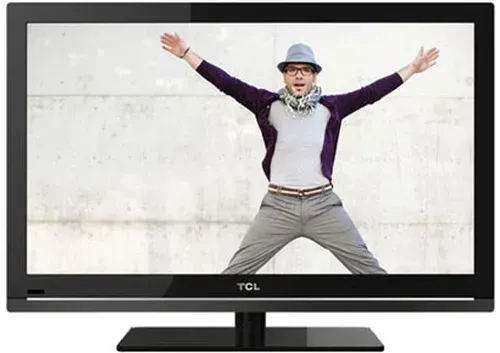
The TCL 55C804 is a television that stands out for its exceptional picture quality, thanks to its advanced display technology that offers vibrant colors and striking contrasts. Its modern and sleek design allows for a harmonious integration into various interiors, adding an aesthetic touch to your living space. Moreover, the built-in smart features make it easy to access a multitude of streaming applications, making the user experience enjoyable. However, this model has some notable drawbacks. The sound quality is limited, which may require the addition of an external audio system for an optimal sound experience. Additionally, the user interface, while generally user-friendly, can sometimes seem unintuitive for some users, making navigation through the menus more complex. Connectivity is also restricted, lacking certain modern options like HDMI 2.1, which may limit its use with the latest gaming consoles. Finally, its relatively high energy consumption could lead to additional costs on the electricity bill. In terms of value for money, the TCL 55C804 is acceptable, but it is important to consider the operating costs related to its energy consumption. On the other hand, the technical support and documentation provided are highly appreciated, ensuring optimal use and effective assistance when needed. Overall, the TCL 55C804 is a solid option for those looking for a television that offers impressive visual performance and a modern design, despite some limitations in sound and connectivity.Score details
User experience
The user experience is generally positive due to a user-friendly interface, although some users may encounter difficulties in navigation.
Performance
Performance is optimal for content viewing, but the limited sound quality may require an external audio system for a complete experience.
Design
The modern and sleek design of the TCL 55C804 easily fits into various interiors, adding an aesthetic touch to the room.
Features
The built-in smart features are a major asset, but limited connectivity may restrict use with recent equipment.
Value for money
Although the value for money is acceptable, higher energy consumption may lead to additional costs on the electricity bill.
Support
The technical support and documentation provided are highly appreciated, ensuring optimal use and effective assistance when needed.
Advantages
Exceptional image quality with vibrant colors
Modern design that fits any interior
Smart features for easy access
Intuitive and customizable user interface
Technical support and documentation included
Disadvantages
Limited sound quality of the speakers
Non-intuitive user interface
Missing connectivity, no HDMI 2.1
High power consumption
Limited compatibility with certain applications
Technical Specifications 55C804
General Information
-
Model55C804
-
Brand
-
Category
-
Type
-
SKU1866517
-
MPN1866517
Frequently Asked Questions
What is the recommended viewing distance for my TCL television?
What should I do if my television is not receiving a signal?
What are the dimensions of the screen on my television?
What does the acronym HDMI stand for?
Is it possible to connect devices from different brands via Bluetooth?
How can I adjust the volume on my TCL 55C804 television?
Why are some channels not accessible on my TCL 55C804 television?
How do I navigate the menus and settings with the remote control of the TCL 55C804 television?
Why is the picture quality poor when playing content on the TCL 55C804 television?
Why can't I access the home page of my TCL 55C804 Smart TV?
Is the manual for the TCL 55C804 available in French?
Similar products




More product categories from brand TCL
More product types from brand TCL


Presentation of product 55C804 specifications from brand TCL
General Information
The TCL 55C804 is a television from the TCL brand, known for its expertise in image quality and technological innovation in the multimedia device sector. This 55-inch model is designed to deliver optimal performance, ensuring an enriching visual experience. The EAN code, 5901292521745, uniquely identifies the product, facilitating its integration into distribution systems.
Advantages
- Remarkable image quality: Thanks to its advanced display technology, the TCL 55C804 delivers vibrant colors and impressive contrasts, providing total immersion in your favorite content.
- Modern design: Its elegant design fits harmoniously into any type of interior, adding a touch of sophistication to your living space.
- Smart features: With easy access to various streaming applications and multimedia content, this television makes home entertainment more accessible than ever.
- Intuitive user interface: Navigation through the menus is made easier, allowing users to quickly customize settings according to their preferences.
- Support and documentation: TCL offers comprehensive support services, ensuring optimal use of the product and assistance when needed.
Disadvantages
- Limited sound quality: The built-in speakers may lack power and depth, which may require the addition of an external audio system for a complete sound experience.
- Sometimes unintuitive interface: Some users may have difficulty navigating the menu, which can detract from the overall experience.
- Restricted connectivity: Although the television has several ports, the absence of certain modern options, such as HDMI 2.1, may limit its use with the latest gaming consoles.
- Energy consumption: This model may have a higher energy consumption than other similar televisions, which can result in additional charges on the electricity bill.
- Compatibility issues: Some users have reported difficulties downloading or using certain streaming applications, which may restrict access to their favorite content.


